
FAGL
Focused Action, Goalful Life.
Give each to-do a goal time, then watch it count down.
Reflect when you're done, and your focus fills a daily grid.
Requires iOS or iPadOS 26.1+. Apple Watch requires watchOS 26+ and a paired iPhone.
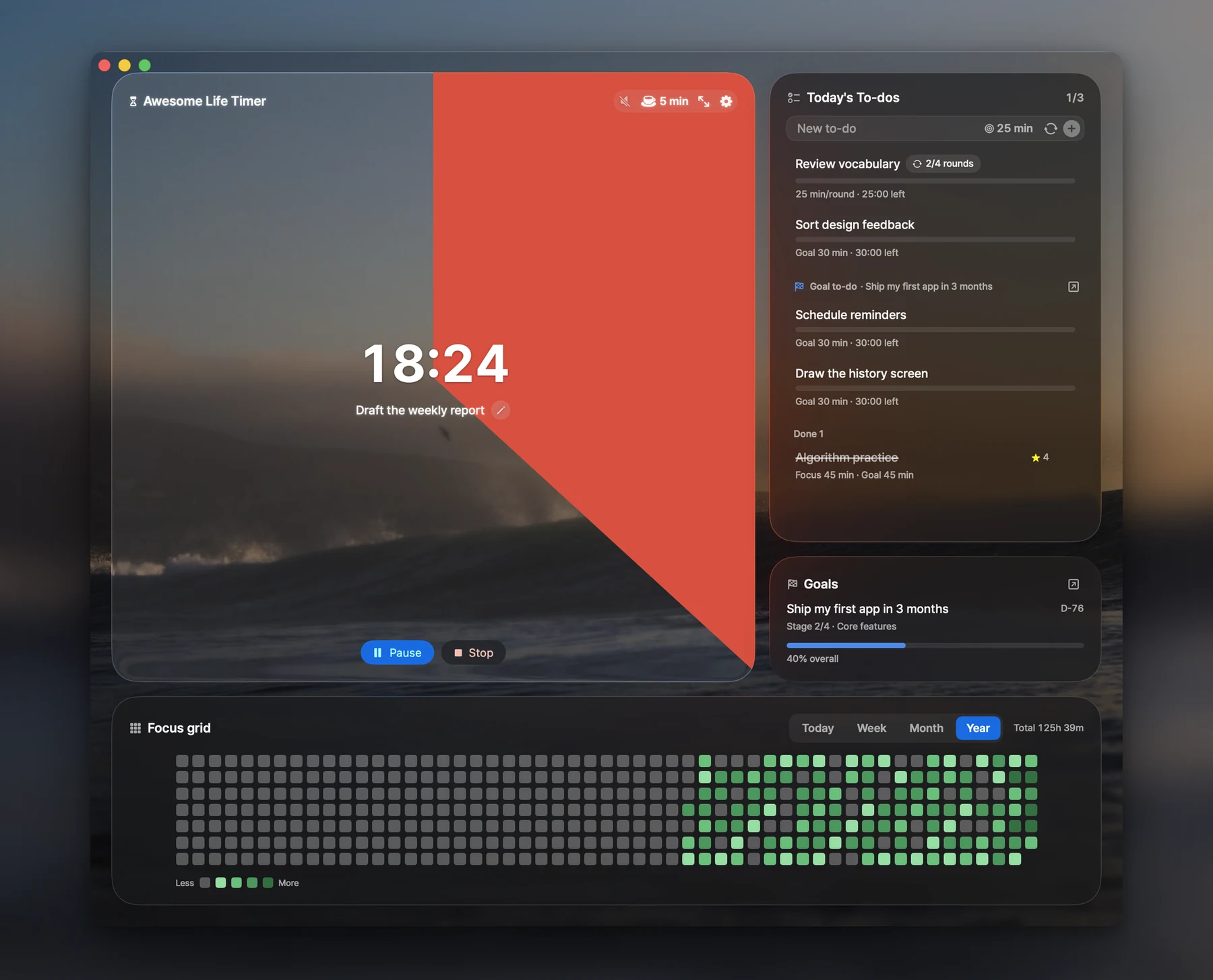
Awesome Life Timer
Time you can see.
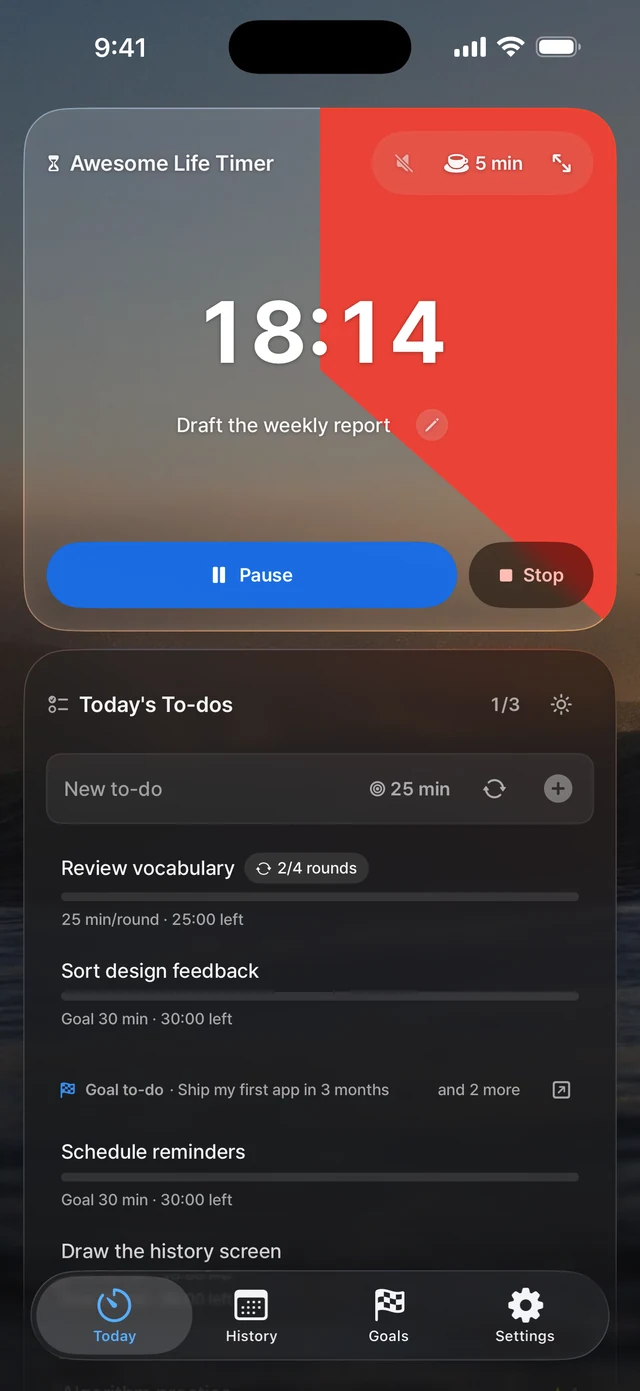
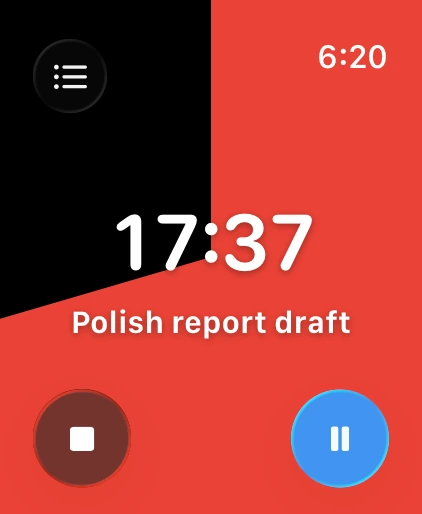
A red disc shows how much time is left for the to-do in front of you. You can tell where you stand at a glance, without reading a number.
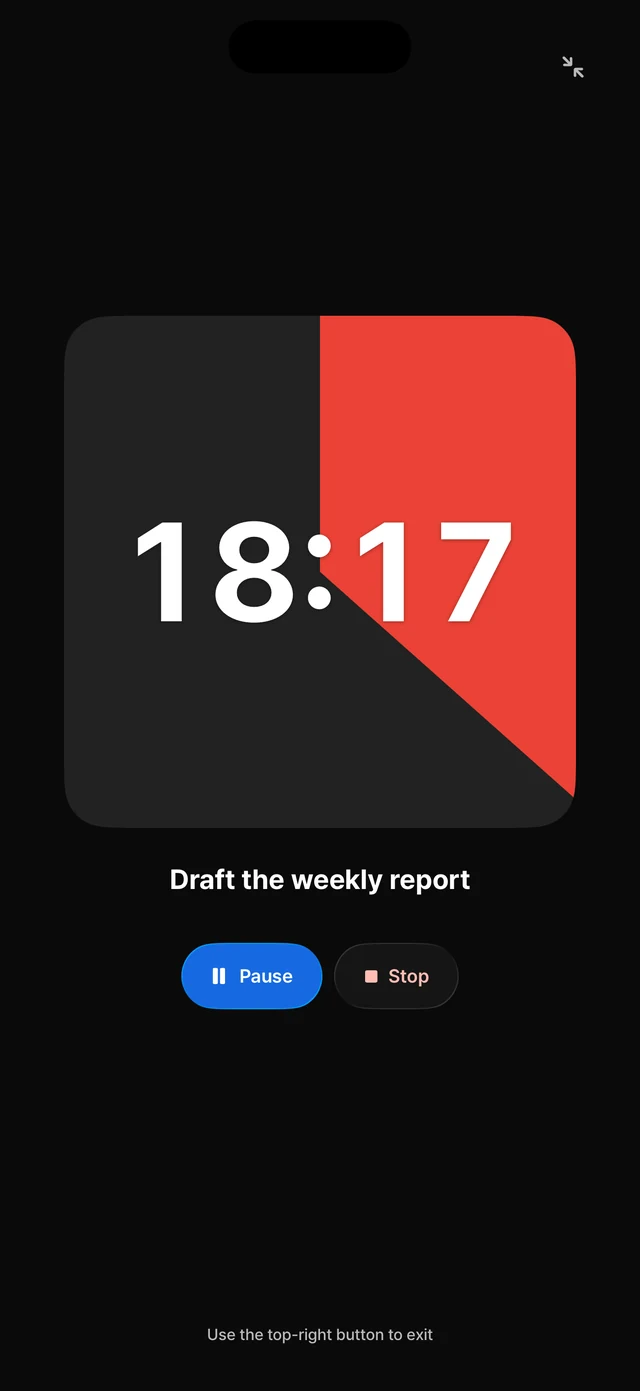
- Deep Focus
- Just the timer, full screen, with the display kept awake.
- Repeat mode
- Work through one to-do in rounds, with breaks in between.
- On Mac
- The time left sits in the notch and the menu bar.
Focus grid
Every session leaves a mark.
-
Focus
Pick a to-do and start the timer.
-
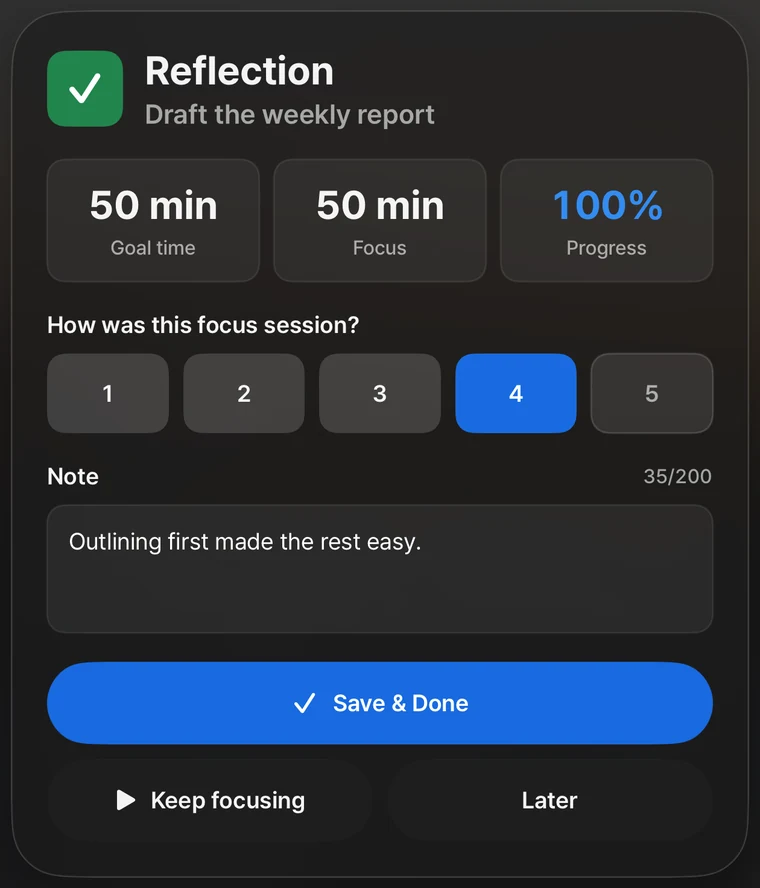
Reflect
When you finish, rate the session and add a short note.
-
Fill the grid
The longer you focus, the darker that day's square gets.
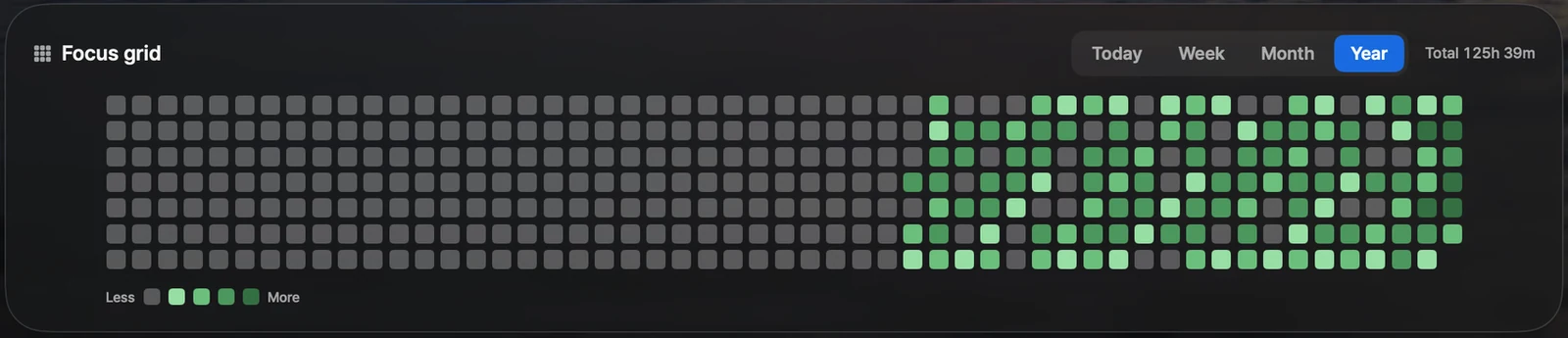
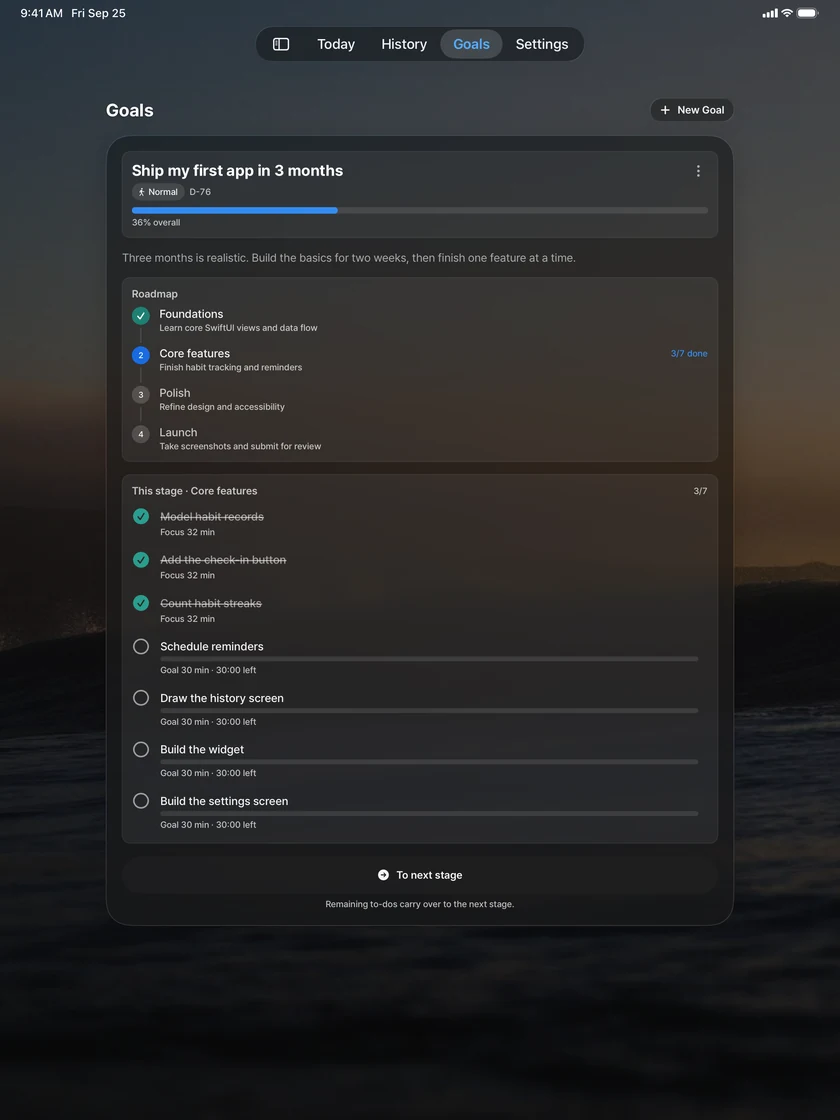
History keeps every reflection, your weekly goal, and how close your time estimates were.
Across your devices
Focus across your Apple devices.
One-time purchase for Mac, iPhone, iPad and paired Apple Watch.
FAGL for Mac is now available on the App Store. It requires an Apple silicon Mac with macOS 26.0 or later.
- Mac
- Notch display, menu bar, and Quick Add from any app with a global shortcut.
- iPhone and iPad
- Widgets for the Home Screen and Lock Screen. On iPhone, a Live Activity shows the time left.
- Apple Watch
- Start, pause and finish from your wrist, with the time left on a complication.
- Your records
- With iCloud enabled, records sync between devices using the same Apple Account. You can also move them in a .fagl backup file over AirDrop.
Privacy
No account, no ads, no tracking.
Your to-dos, focus sessions, goals and reflections are saved on your device. With iCloud enabled, they also sync through your Apple Account. FAGL uses no third-party analytics, ad or tracking SDKs.
- One-time purchase
- No account
- No ads
- No analytics or tracking
- AI only if you want it
AI, only if you want it
Every purchase includes a free cloud AI credit, powered by Claude from Anthropic. It's for ages 18 and up and runs only after you agree in the app. On supported devices, Apple's on-device AI works too, and every core feature works with AI turned off.
Want more cloud AI? AI Plus is an optional subscription at US$2.99 a month. Prices vary by country or region.
FAGL for Mac, iPhone, iPad and Apple Watch is here.
US$6.99 in the U.S., one-time purchase. Prices vary by country or region.